Run phishing simulations with ease.
Launch realistic campaigns, measure engagement, and coach employees to reduce risk. All in one simple workflow.
Campaigns, streamlined
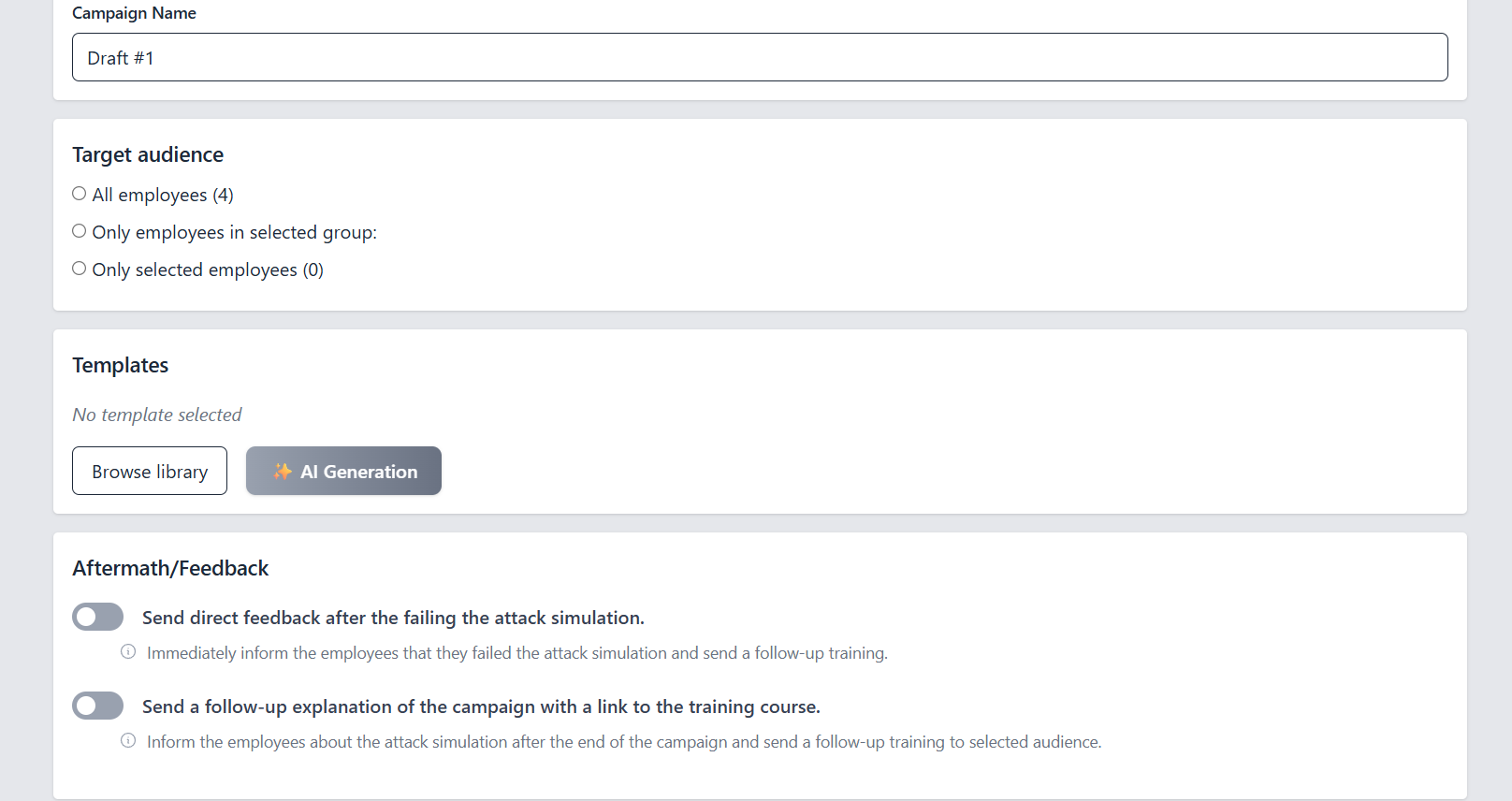
Plan, launch, and track simulations in minutes. Keep everything organized as your program grows.
- One-time or recurring campaigns.
- Clear delivery, open, click, and submission stats.
- Target all employees, groups, or a custom list.
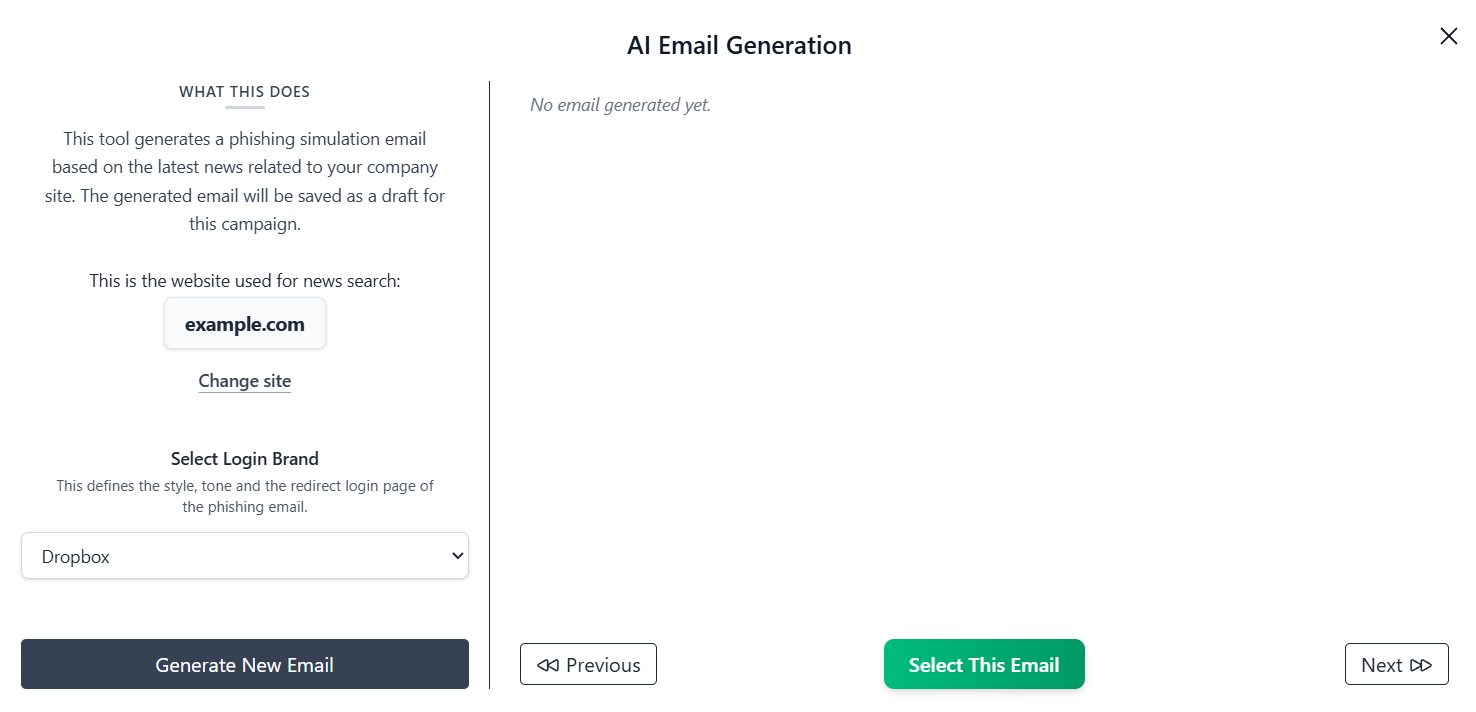
AI-assisted email generation
Generate hyper-realistic phishing emails with context that fits your organization. Our AI engine goes beyond simple text generation to create truly convincing scenarios that challenge your employees.
- Go beyond templates: Create unique simulations based on your company's public news, the exact events real attackers exploit.
- Guided prompts for professional, credible messages.
- Save and edit multiple drafts per campaign to perfect your simulations.
Ready-to-use templates
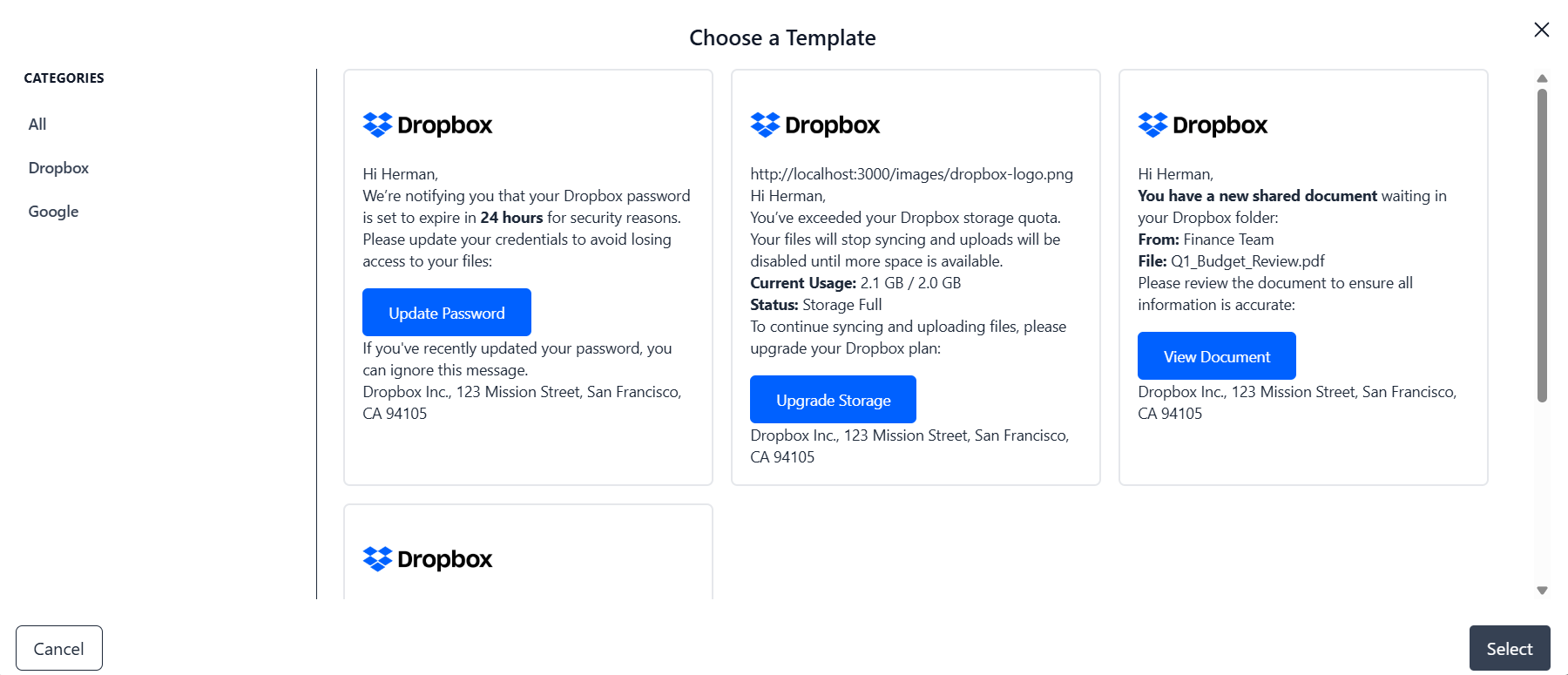
Start from a curated library of provider-branded scenarios, then tailor details to your audience.
- Popular providers: Dropbox, Google, Microsoft, and more.
- Preview before selecting, keep favorites at hand.
- Consistent look and feel across your campaigns.
Frequently Asked Questions
We recommend running a simulation once a month. This frequency builds muscle memory and keeps your team alert without overwhelming them. Regular training turns security into a habit, not a one-time event.
When an employee clicks a link or enters data on a LetzSecure landing page, the system safely records the action as a “Fail.” No malicious code is ever executed.
If you have enabled Direct Feedback, the employee is immediately redirected to a safe Teachable Moment page explaining that this was a simulation and highlighting the red flags they missed.
Not until the moment they fail (click the link) or until you send a follow-up report. The emails are designed to look exactly like real emails from popular cloud services, banks, or internal departments to test real-world reactions.
No. LetzSecure is a tool for education, not punishment. The goal is to spot gaps in knowledge and fill them with training.
A culture of fear leads to employees hiding mistakes; a culture of awareness leads to employees reporting threats.
- Library Templates are pre-made clones of widely used international platforms and services. They are excellent for testing general awareness against common bulk attacks.
- AI Generation creates unique, never-before-seen emails based on current context. These are best used for advanced testing to see if your team can spot sophisticated, targeted social engineering.
Our AI engine leverages Large Language Models (LLMs) to analyse context, such as public news about your sector or information from your company website, to write highly convincing, grammatically perfect emails. This mimics the behavior of modern hackers who use similar AI tools to craft Spear Phishing attacks.
Static templates can become predictable over time. AI-driven simulations are dynamic; they can adapt to current events (e.g., a sudden change in tax laws or a global software outage), making the lure much harder to identify.
This prepares your employees for the exact type of threats they face today, not the threats of five years ago.
Yes. When using the AI generation features, we prioritize data privacy. The AI uses public web searches or the specific domains you provide to generate context, but it does not train on your private internal employee communications.